How AI Chats Like ChatGPT and Claude Actually Work
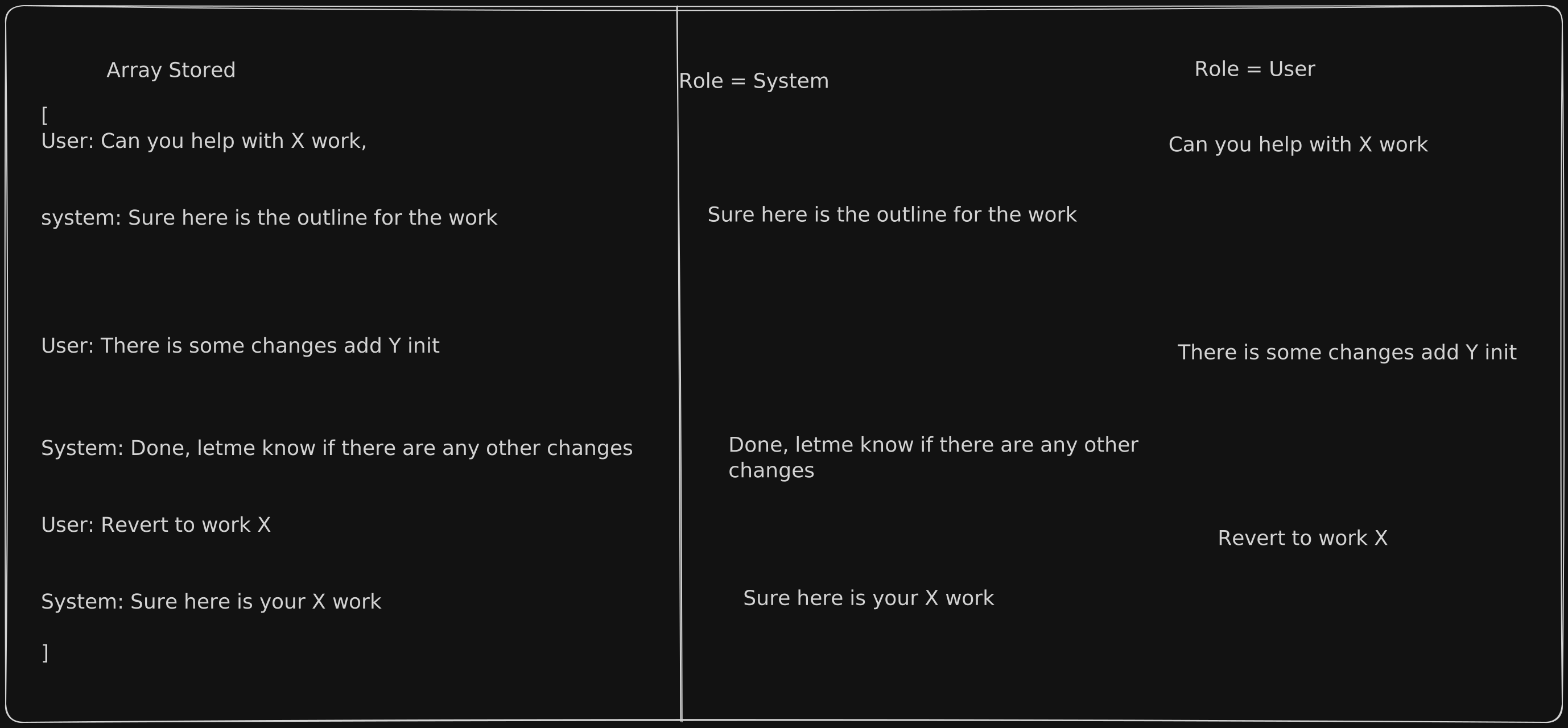
Where Is Your Chat Even Stored?
When you open a chat with an AI, take a look at the URL in your browser. It looks something like this:
https://chatgpt.com/c/78e35123-9214-8322-g2ada-03123caqbaqda
That long string of letters and numbers at the end? That's a unique ID — think of it like a locker number. It tells the platform exactly where your conversation is saved, and loads it up whenever you come back.
Behind the scenes, your entire conversation is stored as an ordered list of messages — going back and forth between what you said and what the AI replied. Each message is tagged with who sent it: either You or the AI.
How Does the AI Know What You Said Earlier?
Here's the part that surprises most people: the AI doesn't actually "remember" you.
Every time you send a new message, the entire conversation — from your very first message all the way to the latest one — is packaged up and sent to the AI all over again. Your new message is simply added to the bottom of the list.
So if you've been chatting for 20 messages and you send message #21, the AI receives all 21 messages at once and reads through them before replying. That's how it knows what you asked three topics ago — it just re-reads the whole thread every single time, like flipping back through a notebook before responding.
Ever Wondered Why Claude Says "Chat Is Too Long"?
Every AI model has what's called a context window — a limit on how much text it can read and process at one time. Think of it like a whiteboard: there's only so much space.
Since the entire conversation is re-sent with every message, a very long chat will eventually hit this limit. When that happens, the AI either starts forgetting the older parts of your conversation, or it tells you the chat is too long to continue.
Different AI models have different limits:
Claude Opus 4.6 — up to 1 million tokens
ChatGPT (GPT-5) — up to ~400,000 tokens
Not sure what a "token" is? Think of it as roughly ¾ of a word. So 1 million tokens is about 750,000 words — roughly 10 full-length novels.
The longer your chat, the more of that space gets used up — and eventually, you run out of room.
How Do You Fix It?
Good news — you have two simple options:
Option A — Start a fresh chat. If your conversation has gotten very long, the easiest fix is to simply open a new chat. This resets the counter and you're well within the limit again. Works best when you're moving on to a new topic anyway.
Option B — Use /compact (Claude only). This is a newer feature. Type /compact in a Claude chat and it will automatically summarize the entire conversation into a shorter version — keeping all the important context while freeing up space to continue. On Claude's free plan, this actually happens automatically once you've used about 70% of the context window.
The Quick Takeaway
Your chat has a unique ID in the URL — that's how the platform knows which conversation to load.
The AI doesn't "remember" you on its own. The full conversation history is re-sent with every single message.
Every AI has a context window limit. The longer your chat, the more of that limit gets used up.
When you hit the limit: start a new chat, or use /compact in Claude to summarize and keep going.